UX Patterns Plugin & Library
I built a pattern library of approved CDK screens, and a Figma plugin so any designer can find and reuse them.
One approved source
A growing library of prefab screens, built 1:1 from Radial components.
One search away
An org-wide Figma plugin finds and inserts any pattern in seconds.
Ready for AI
Every pattern ships with a spec an AI tool can build from.
Always current
Inserted screens stay linked to the library, so fixes reach every file.
The same screens, built over and over
Radial gives CDK's designers components. But products are made of screens: a record list, a sign-in flow, an edit side sheet. Every team assembled those from scratch, and every team did it a little differently.
Designers rebuilt the same screens.
Common flows were redrawn on every project instead of reused.
Teams solved the same problem differently.
With no shared reference, patterns drifted across 6 product suites.
AI tools had nothing reliable to build from.
There was no approved, machine-readable source for a CDK screen.
Setting the rules
I owned this end to end: I chose the sources, set the rules, and reviewed and published every release. I built the patterns in Figma and in code using Claude. The rules mattered most. A library people don't trust gets ignored.
Approved sources only
Every pattern comes from an approved CDK design. No reference, no build. Nothing is invented.
Built 1:1 from Radial
Only published Radial components and tokens, so every pattern is buildable in code.
Written for people and AI
Each pattern's spec has to pass one test: an AI given only the spec builds it correctly.
Source
An approved CDK design becomes the reference
Build
Rebuilt in Radial, with gaps logged for engineering
Verify
Spec written and checked against a Definition of Done
Release
Published to the library and plugin, in batches
Prefab screens, ready to use
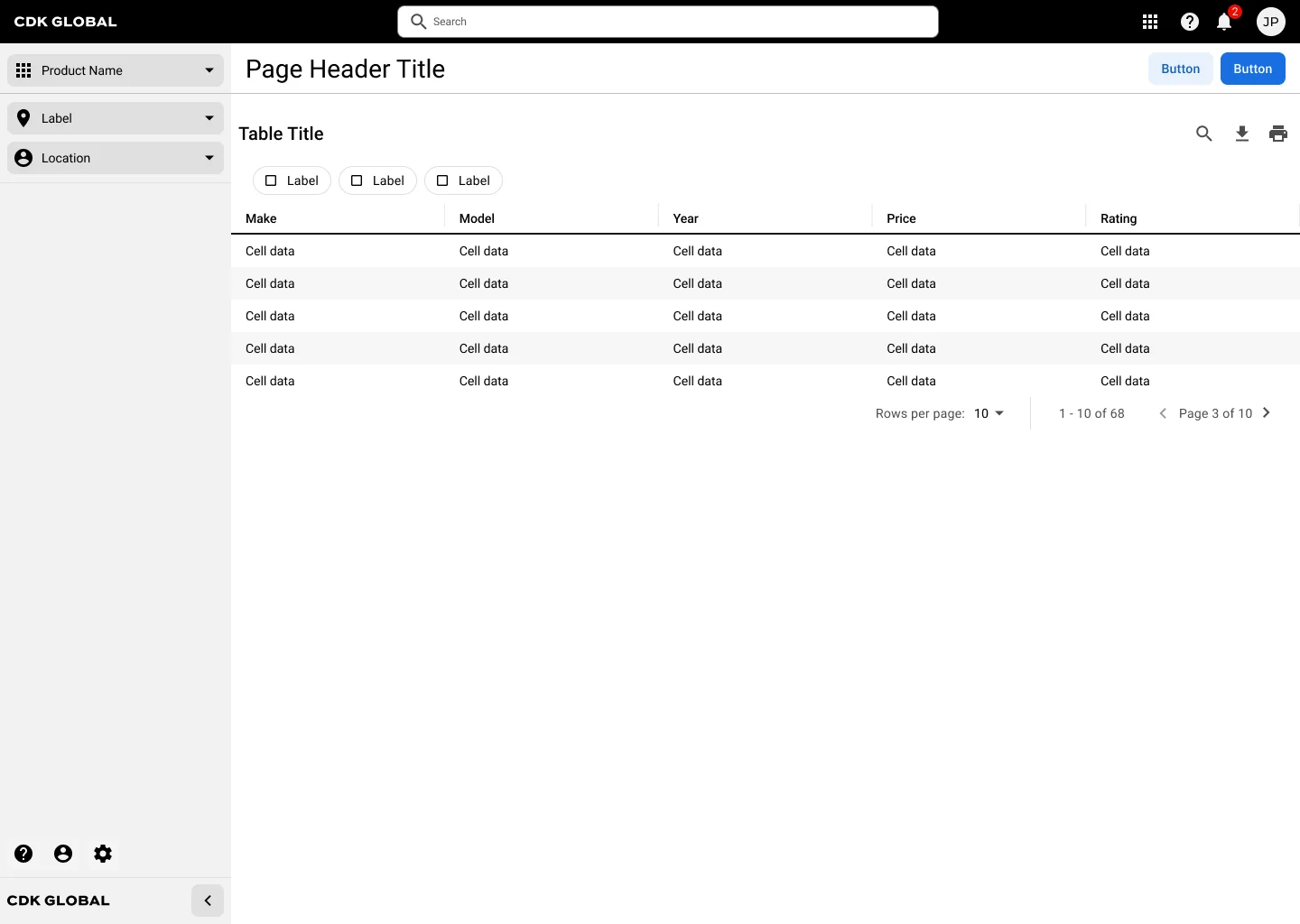
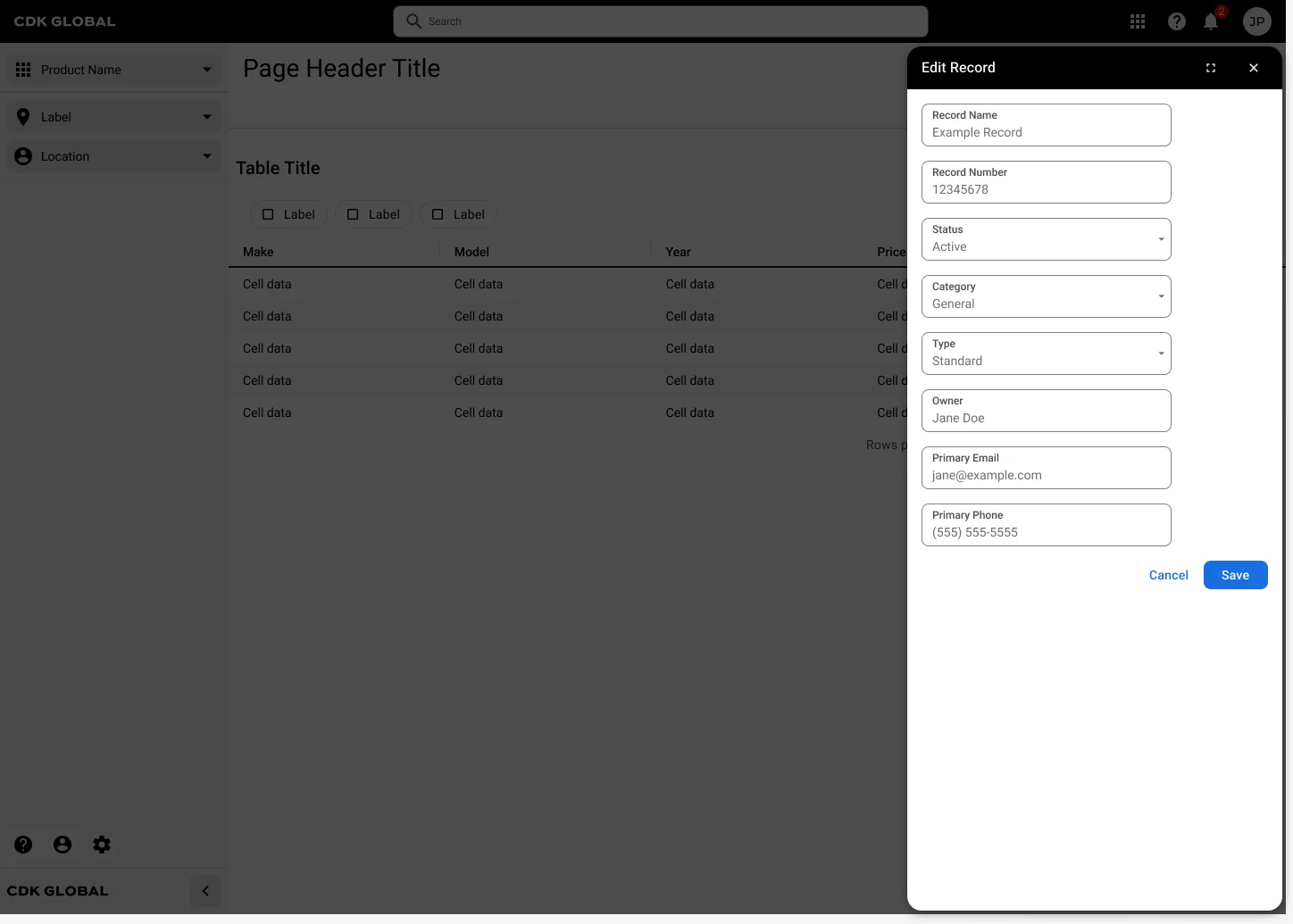
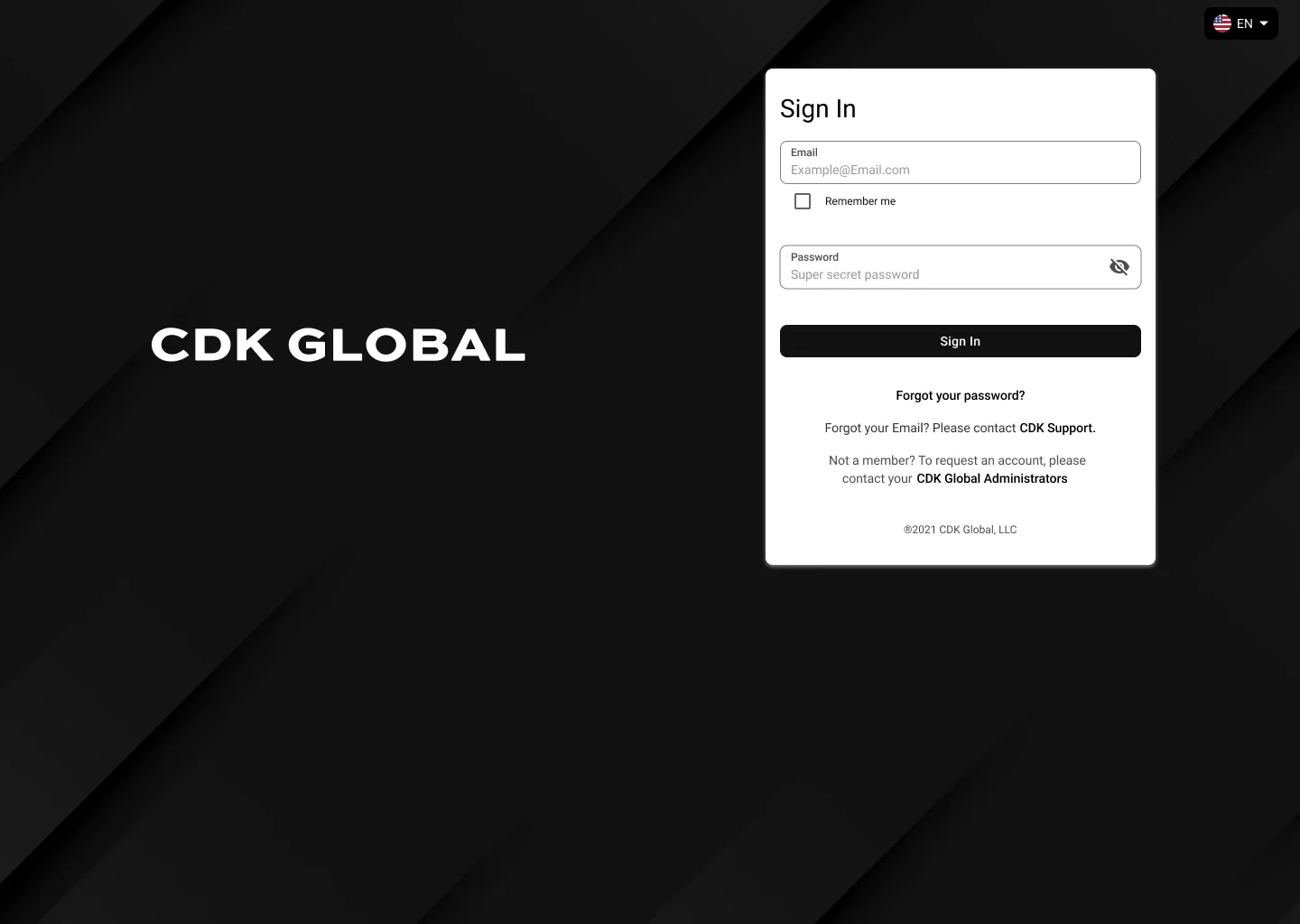
The library launched with 16 patterns and 40 screens, from a basic layout shell to complete flows like record management and sign-in. Designers drop one in and swap in their content instead of starting from a blank canvas.
Every pattern, one search away
A library only helps if people use it, so I shipped Radial Patterns, a Figma plugin available to every designer in the org. It works where designers already are.
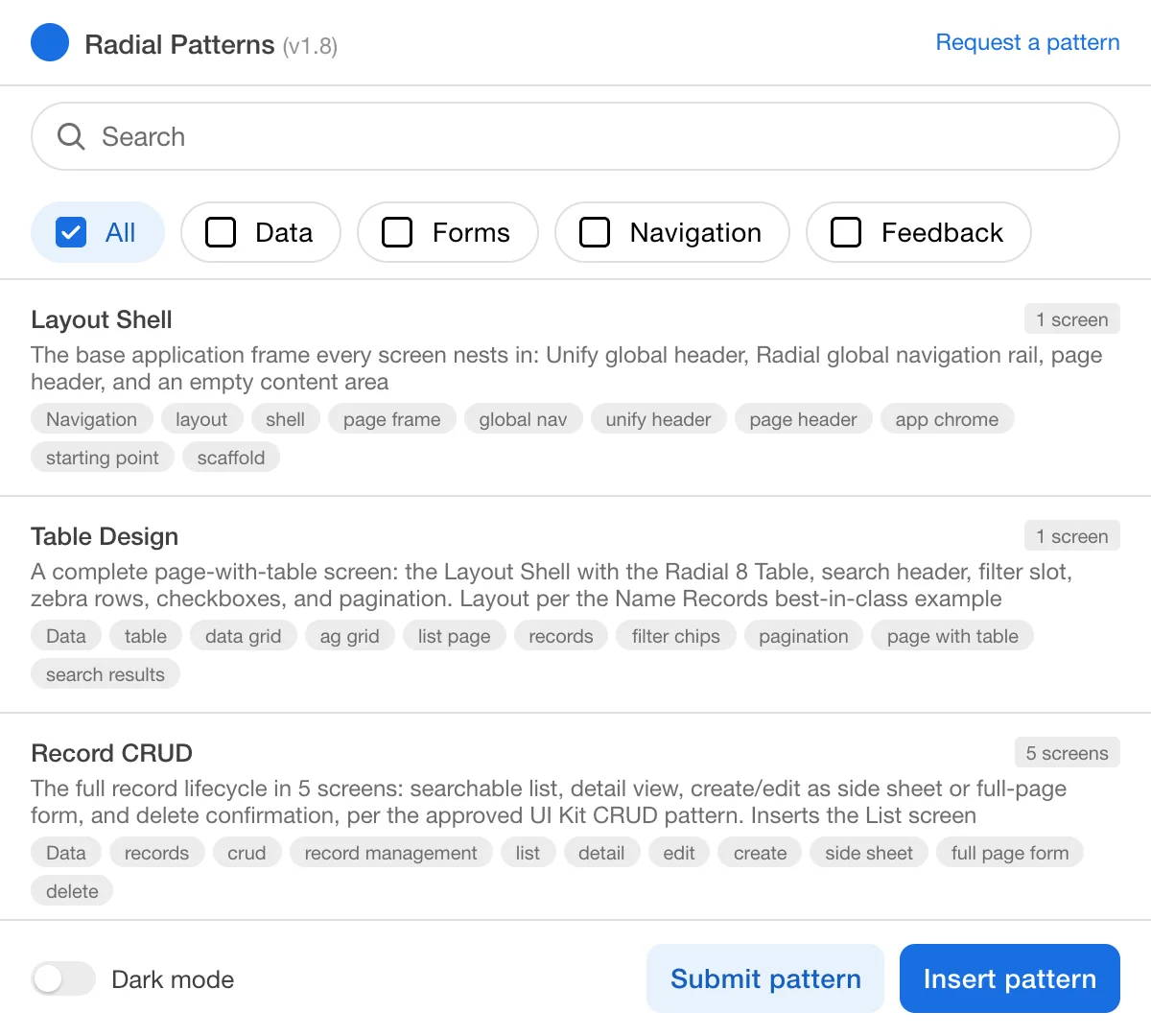
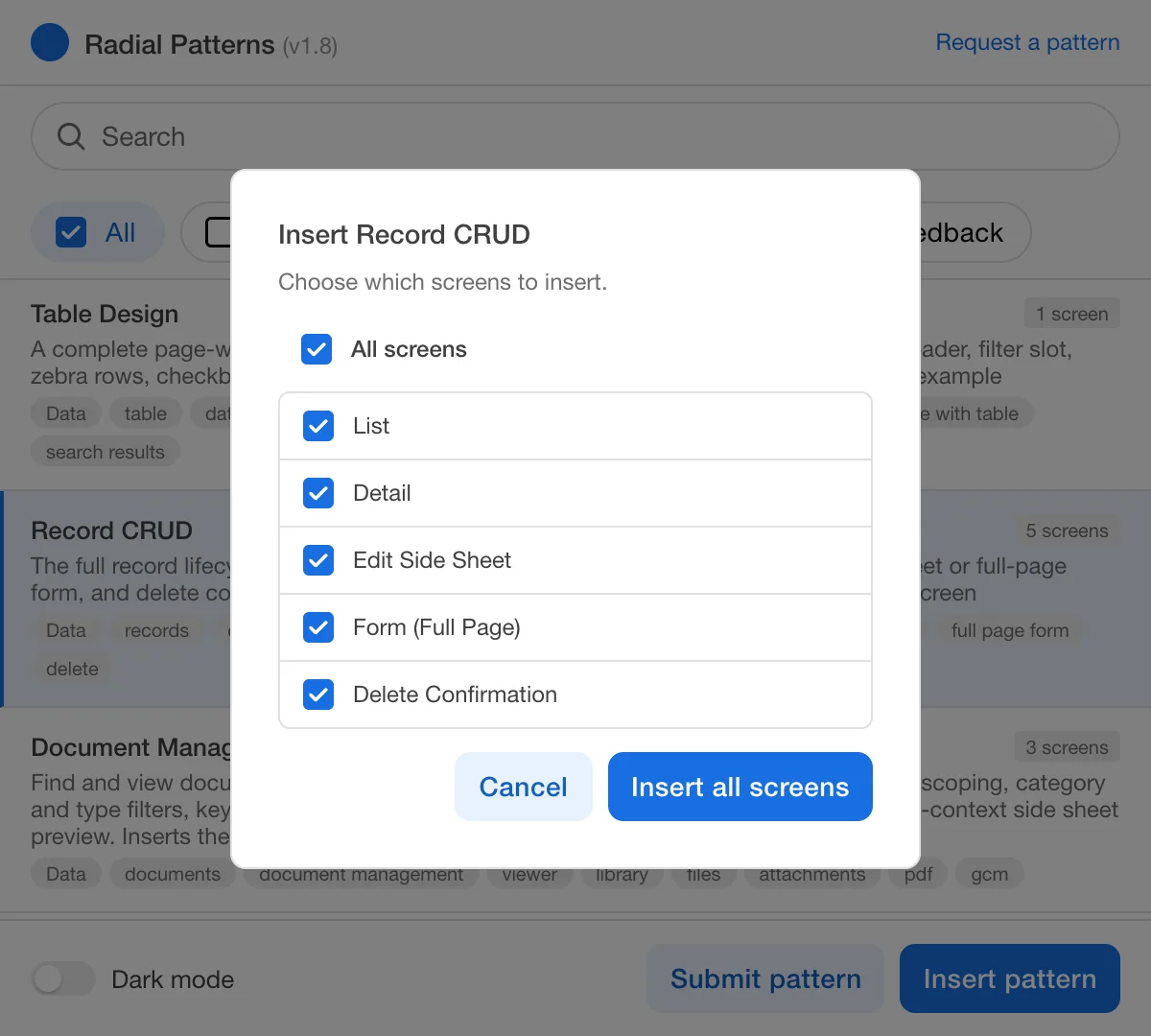
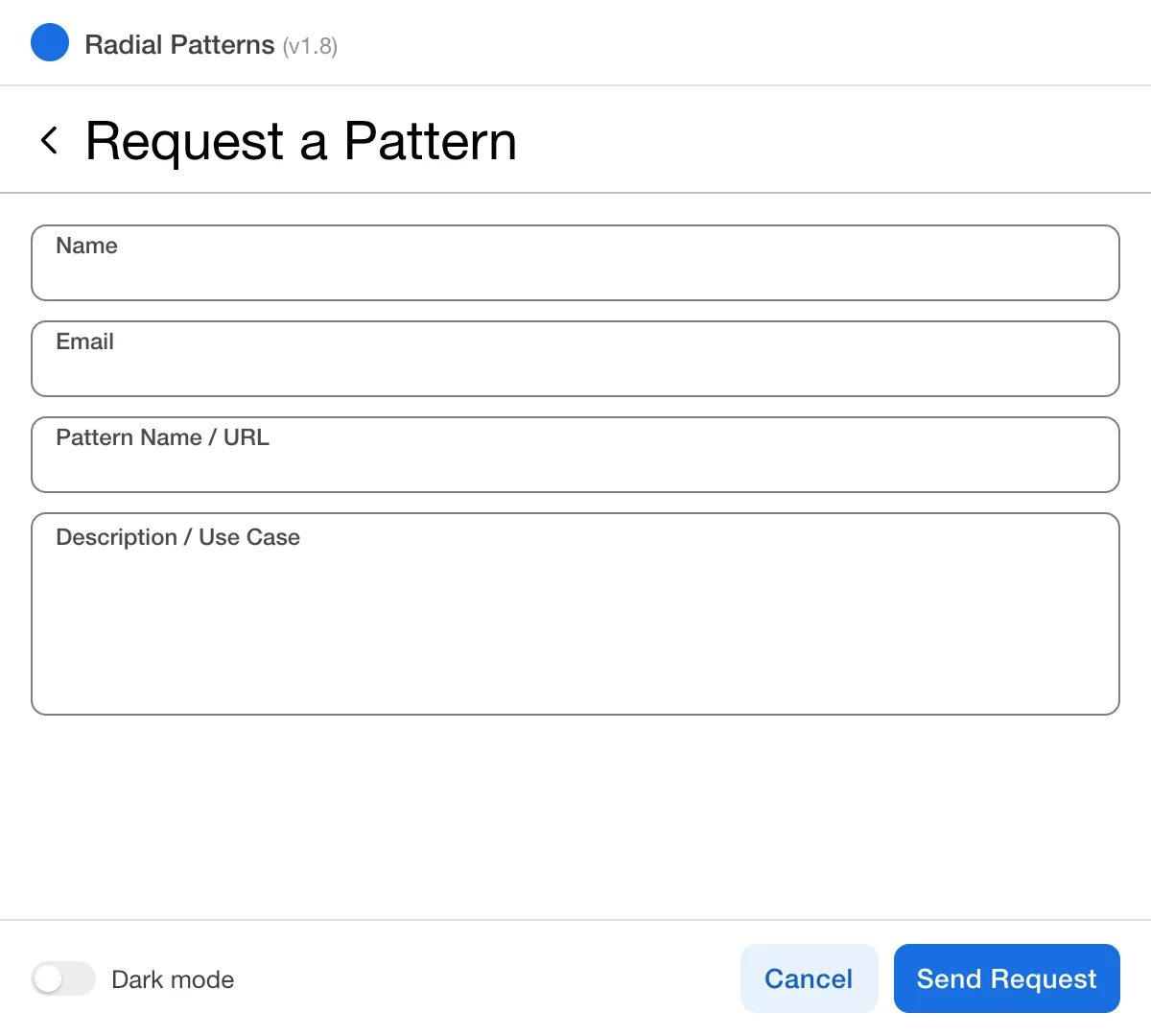
Find it fast.
Forgiving search and filters surface the right pattern in seconds.
Insert a flow or one screen.
Whole flows go in with one click, or pick just the screens you need.
Ask for what's missing.
Requests go straight to the team's channel, where the work happens.
The calls that shaped it
Insert live components
The plugin places real instances from the library. When a pattern improves, every file using it can pick up the change. Copies would go stale the day they were pasted.
Keep the plugin simple
No servers, no accounts, no tracking. Nothing to host or secure. The trade-off is that new patterns ship with plugin releases, so I release in planned batches.
Ship partial patterns, clearly labeled
I reversed my own rule of holding incomplete patterns back. Patterns waiting on a missing component now ship marked "Partial", so designers can use and react to them sooner.
Narrow the scope on purpose
An early quarterly plan was far too large. I cut it to two priorities, mobile patterns and the components they need. Fewer things, done properly.
Where things stand
The library and plugin are live for every designer at CDK. The library keeps growing release by release, with mobile next.